Apple Reminders · Free guide
You notice it at the worst possible moment.
Then you remember it five more times.
Almost out of paper towels. That thing to return. The birthday gift. You're always noticing while your hands are full and you're already doing something else — so the noticing turns into remembering, and the remembering turns into carrying it.
Imagine the thought leaving your head the first time you have it.
Sometimes you do not need a new app. You need to use the apps already on your phone in a way that works for your family. Just tell Siri which list it belongs on and get on with your day.
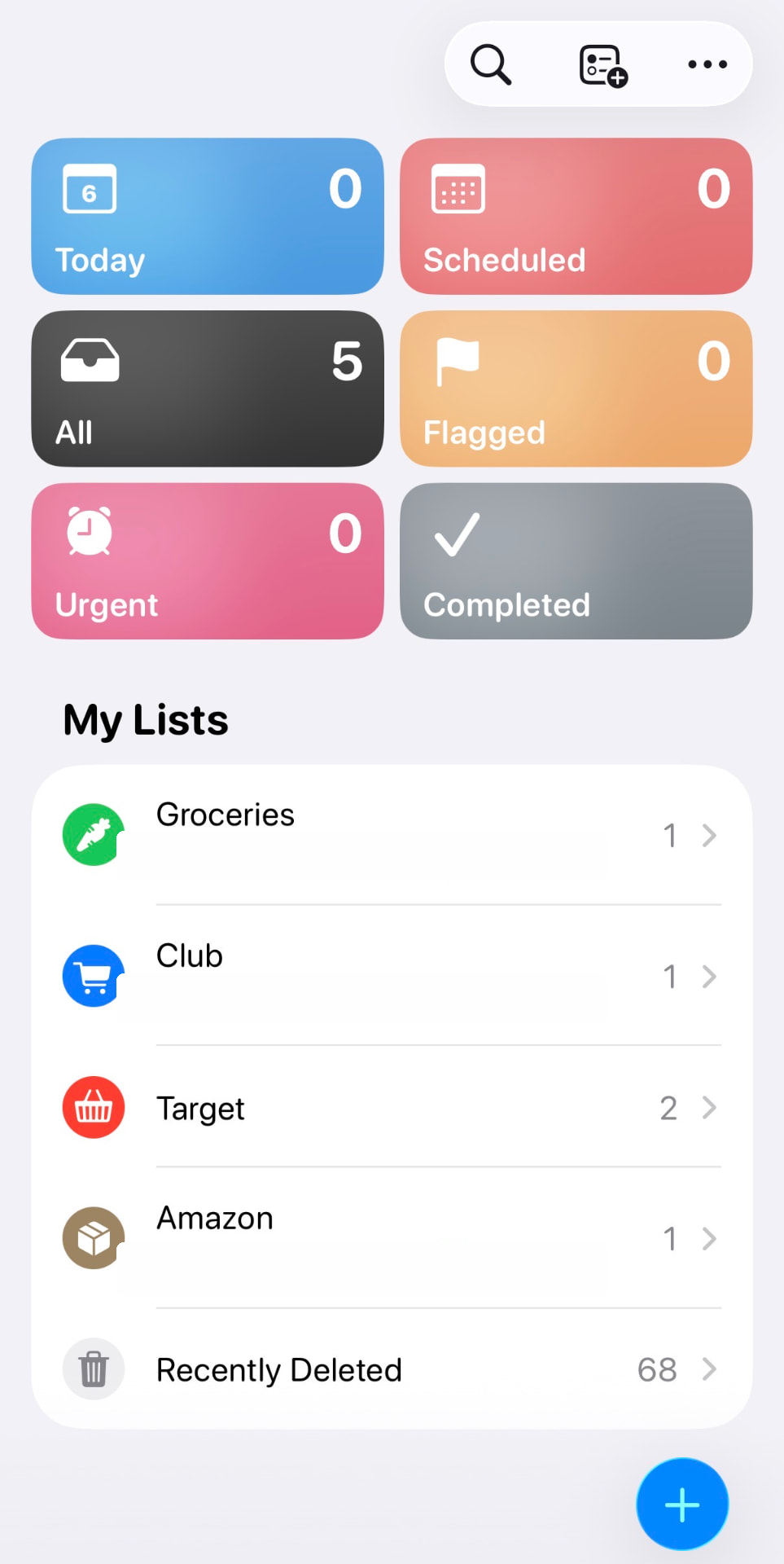
The whole system
Notice it. Say it. It's on the right list.
Stop thinking about it.
01
Notice it
You're mid-something else. The paper towels are almost gone. The thought arrives at the worst possible moment, as it always does.
02
Say it
Hands full, kid on your hip, walking out the door. You say it out loud instead of promising yourself you'll remember.
03
It's on the right list
Not a pile of undifferentiated to-dos. It lands where you'll actually be standing when you need it.
04
Stop thinking about it
That's the whole point. The thought leaves your head and doesn't come back four more times before Saturday.
See it in action
See it in action
This is what capture looks like in real life — say it once, route it where it belongs, and get it out of your head.
Siri / Apple Reminders demo
The four lists
Four lists. Not forty.
Each one matches a place we actually go.
You can create your own lists, but here are our four lists with simple rules. A simple shared family to-do list can go here too.
Groceries
Everyday food, produce and the staples we need between bigger shops.
Club
Bulk paper goods, party supplies, flowers and anything that is reliably cheaper in quantity.
Target
Kids' clothes, seasonal décor and home-organization items.
Amazon
If it can wait a week, it goes here. We both add throughout the week, then place one order.


The Siri rule
Say the list name
every time.
That one habit is what makes the whole thing work. Name the list out loud and the item routes itself — from your phone, your watch, or the car.
“Add milk to my Groceries list.”
→ Groceries“Add paper towels to Club.”
→ Club“Add returns to Groceries.”
→ Groceries
When Siri won't route it correctly, turn Reminders off in iCloud, restart the phone, switch Reminders back on, allow it to sync and try again. Menu names can vary by iOS version.
The two-minute setup
Keep the grocery list
one tap away.
01
Press and hold the Home Screen.
02
Tap Add Widget and choose Reminders.
03
Select the list widget.
04
Choose Groceries as the displayed list.
That's the whole system. Steal it, rename the lists, make it yours.
See what else is hereStart with the stuff living in your head.
Three small setups that take real things off your plate this week. Free.
Plus new systems when they’re ready. No inbox avalanche.