Shop / Mealtime
Mealtime
Kitchen Brain
Stop planning dinner from scratch every week.
One drawer for every kitchen list
Recipe hub, freezer inventory and pantry & staples in the drawer, with your family, dinners, week and kitchen set up just below — all linked from the top of the page.
A draft week you can adjust
Every night carries its date, the time it lands on the table, and a skip marker for the evenings the plan changes.
A grocery list to review
Start with the approved meals and recorded inventory, then check what you still need before shopping.
What it does
Remembers your family: who eats what, what got five stars, what nobody touched.
Uses the kitchen staples and freezer items you choose to record in Notion.
Proposes dinners around your calendar; you review the plan and check the grocery list.
What you get
- My library of 1,000+ tagged recipes, or bring your own
- A kitchen inventory for the staples and freezer items you choose to track
- Your family’s food preferences, in one place
- A proposed weekly dinner plan and a grocery list to review
How it works
Take stock
Start with what’s already in your fridge, freezer and pantry, so the plan works with what you have. You can take photos and upload directly into your AI tool for quick capture and recording.
Add your family’s preferences
Likes, dislikes, and who eats what, so the plan fits your table.
Bring your recipesOptional
Import the recipes you already love, or skip this step and start with the built-in library.
Draft, review, then approve
With a supported AI and Notion connection, ask for a proposed week, adjust the meals, and approve the plan before building a grocery list from the inventory you have recorded.
Is this for you?
It's for you if:
It's 4:30, and dinner is a brand-new problem again.
Your Sunday disappears into planning the week's meals.
You have hundreds of saved recipes you never actually use.
You want to prioritize items already in your kitchen over buying more groceries.
It’s not for you if…
You love planning dinner from scratch every Sunday. (Genuinely, teach me.)
Questions
Want dinner to be a plan, not a problem?
Be first in line.
One email when it’s ready. Maybe two.
Only Kitchen Brain news on this list. Want everything else? The free Get-It-Out-of-Your-Head Guides are here →
The long version +
Mealtime, Managed™
Stop planning dinner from scratch every week.
Give AI the context you keep carrying in your head.
Kitchen Brain remembers how your family eats, what you already have, what you made recently and what your week actually looks like — then turns it into a realistic dinner plan.
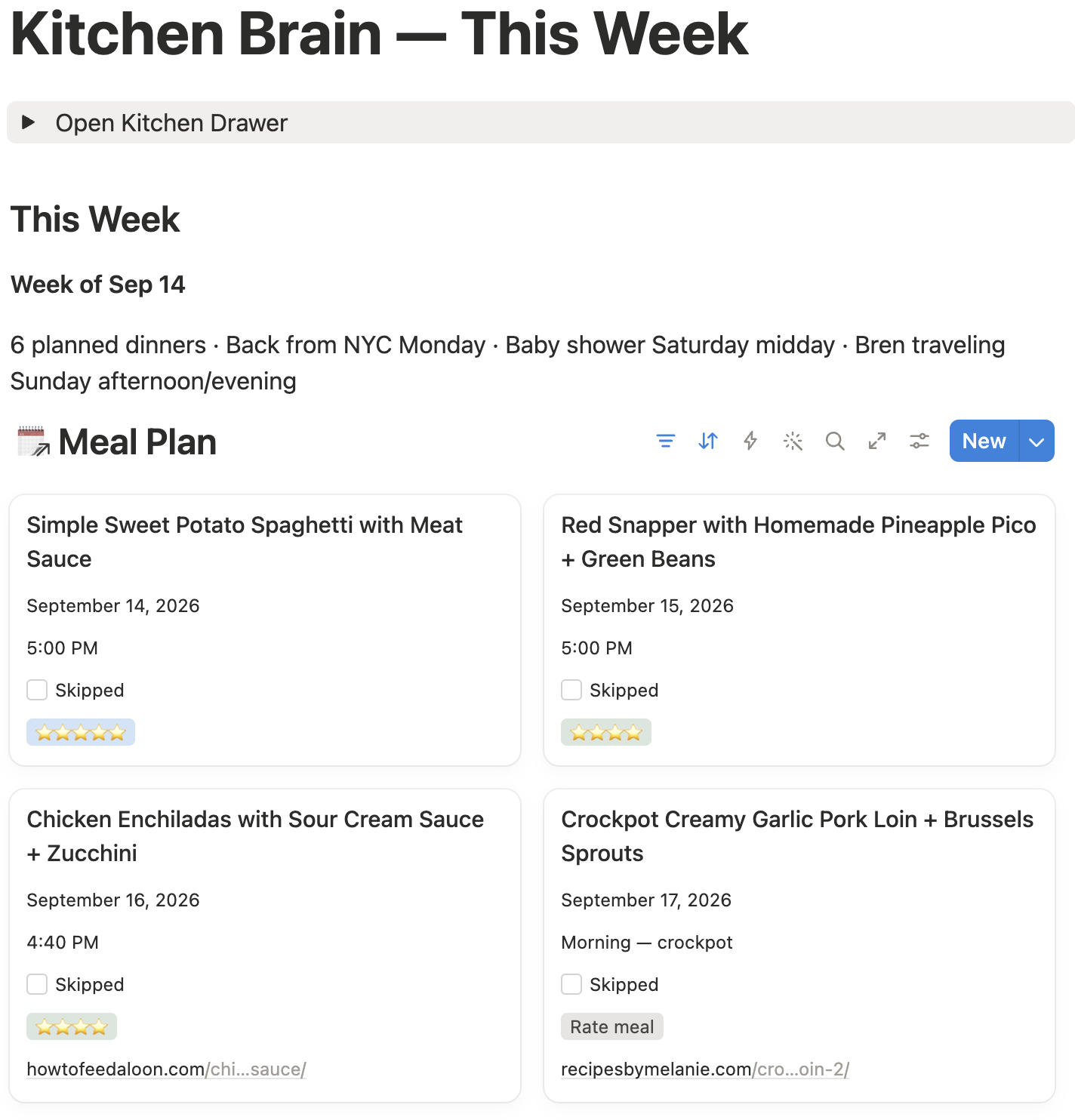
Over a thousand recipes
Already cleaned up and tagged in my Kitchen Brain.
The long version +
Before
- “What should we eat?”
- Open calendar.
- Search Pinterest.
- Check freezer.
- Try to remember what everyone ate last week.
- Make grocery list.
- Forget to thaw the meat.
- Calculate dinner timing at 4:47 PM.
With Kitchen Brain
- “Plan my week.”
- Review.
- Adjust anything you want.
- “Approved.”
You still decide what your family eats. You just stop being the only place all the context lives.
You probably don’t need another recipe.
You need something else to remember the context.
- Tuesday is soccer.
- There is salmon in the freezer.
- Nobody wants chicken again.
- The zucchini needs to get used.
- Dinner needs to be ready by 5:45.
- And somehow you are still the one putting all of that together.
Kitchen Brain does that part.
The everyday experience
After setup, this is the workflow.
You say:
“Plan my week.”
Kitchen Brain proposes:
Realistic meals based on your calendar, preferences, recipes, recent meals and what’s already in the house.
You say:
“Approved.”
Then Kitchen Brain
- Saves the approved meals
- Builds the grocery list from your recorded inventory
- Calculates thaw and prep timing
- Works backward to cooking start times
- Keeps the meal history
You make the decisions. Kitchen Brain does the administration.
It plans with your household — not a blank prompt.
Your calendar
Busy nights, travel, someone away, hosting, activities.
Your family
Favorites, dislikes, allergies, traditions, dinner time.
Your recipes
Recipes you actually want to make + what you’ve made recently.
Your kitchen
Freezer, pantry staples, spice cabinet and fridge-door staples.
The center
Kitchen Brain
A week that actually fits.
The memory behind the plan
AI does the thinking. Notion holds what you’ve already taught it.
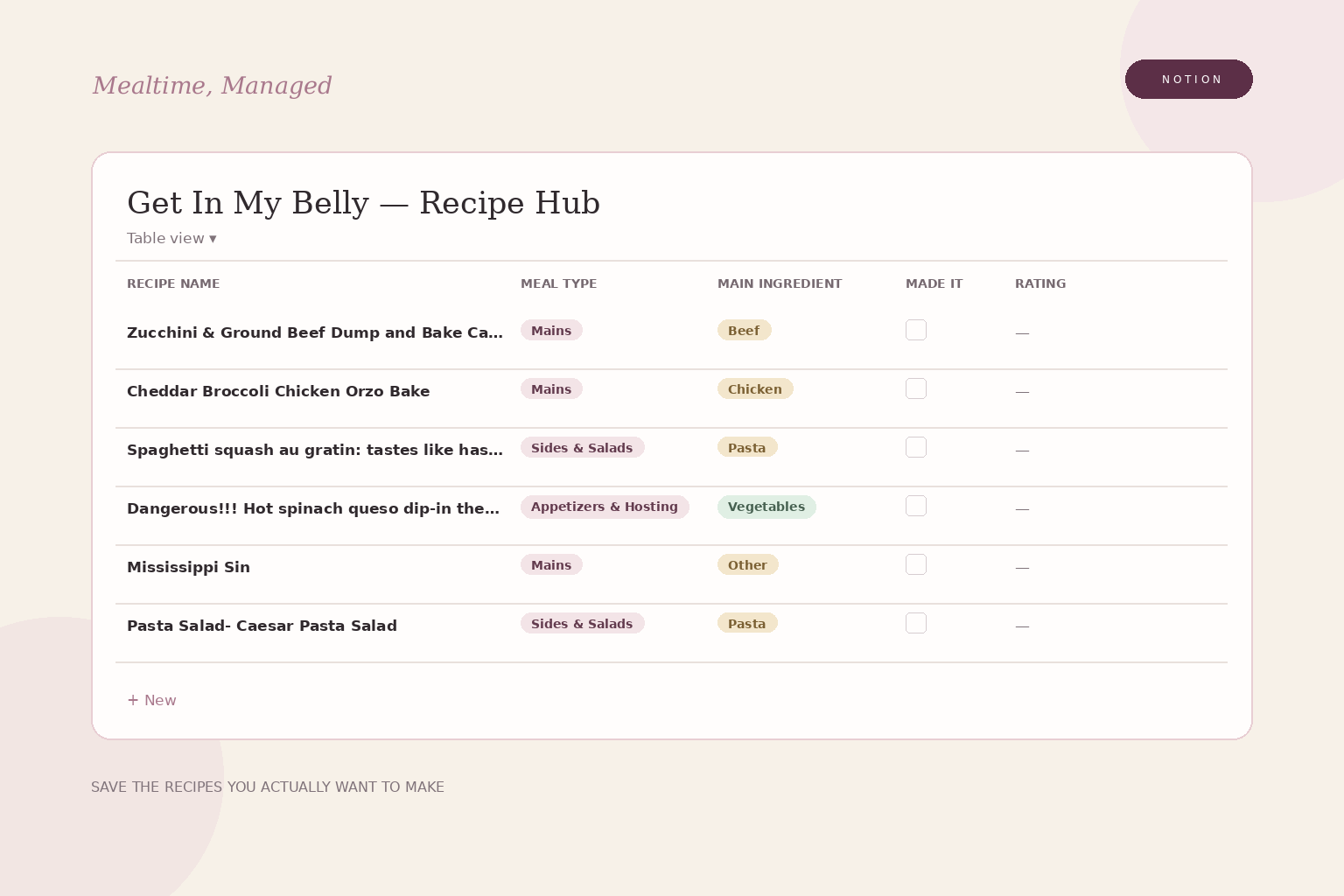
Recipe Hub
The recipes you would actually make.
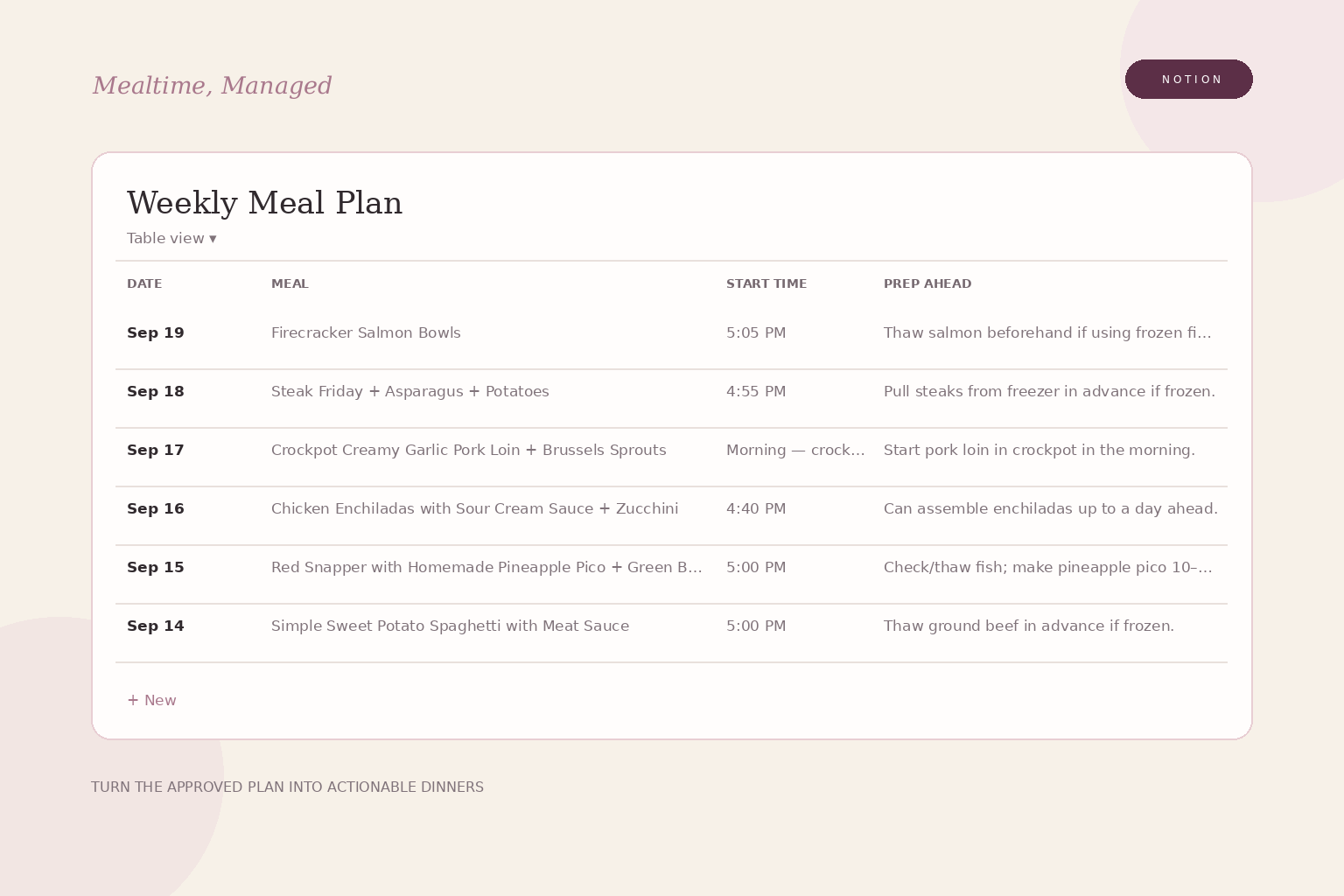
Meal Plan
What’s planned + what you’ve eaten recently.
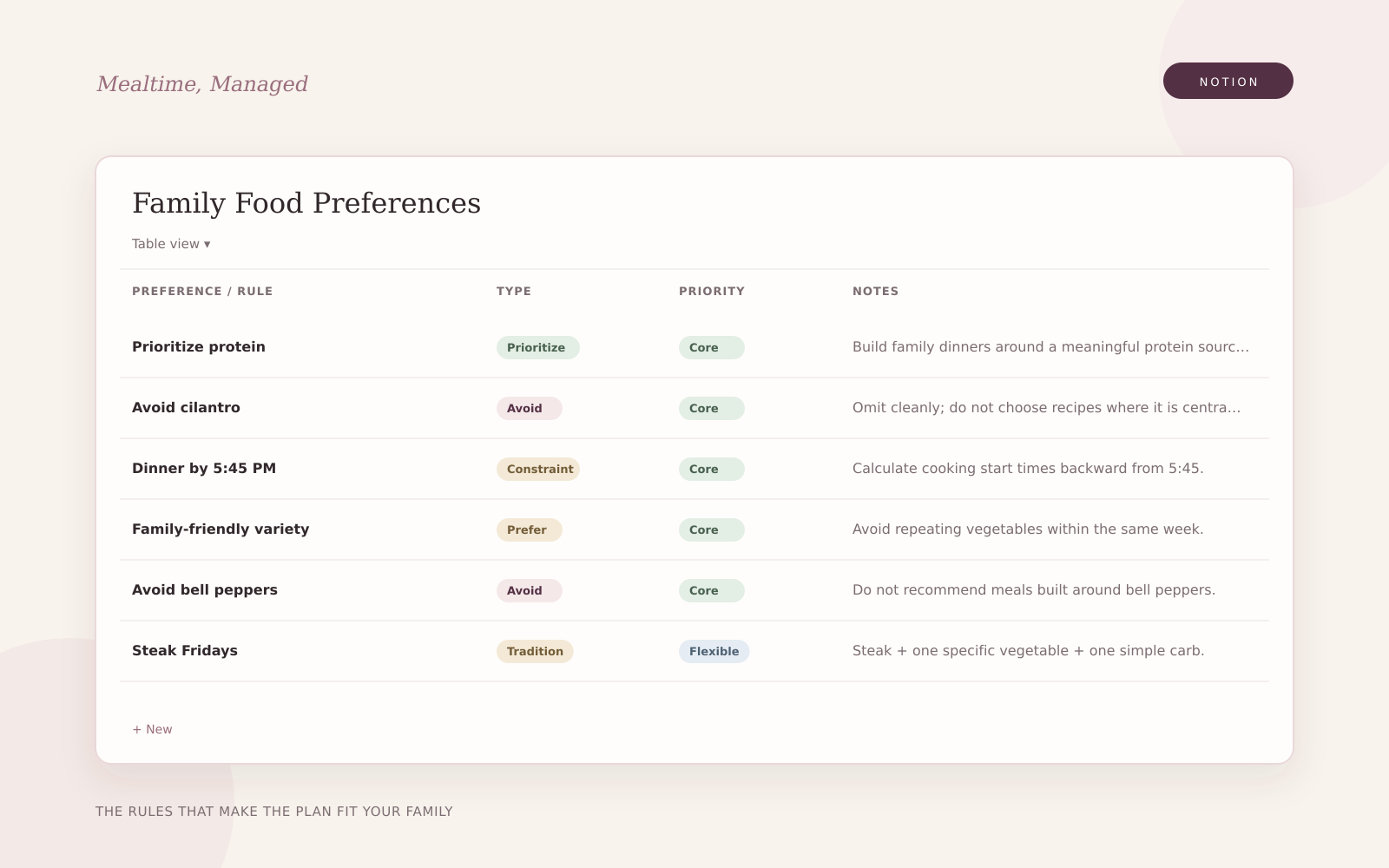
Family Food Preferences
The rules that make dinner fit your family.
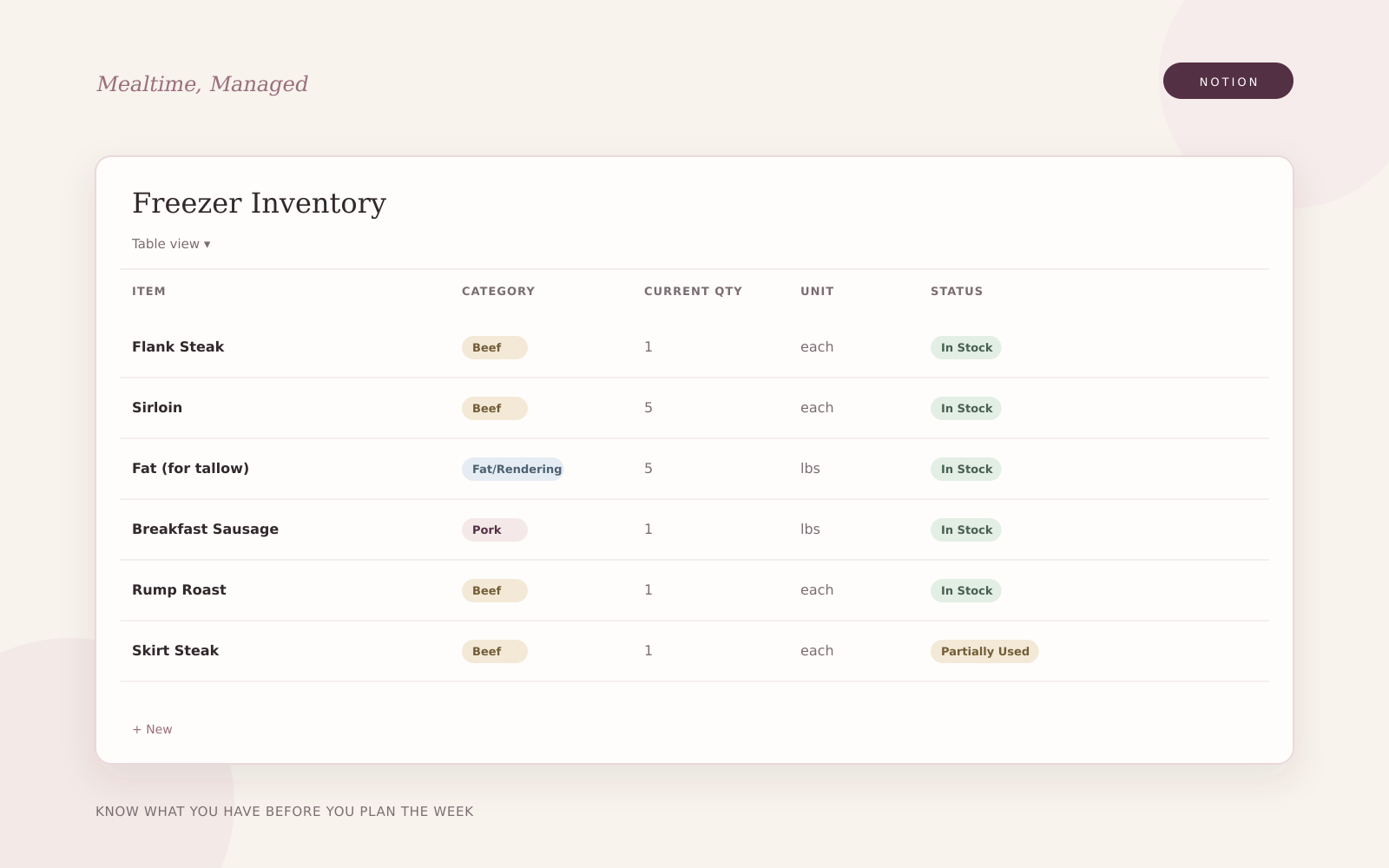
Freezer Inventory
What you already own + what needs thawing.
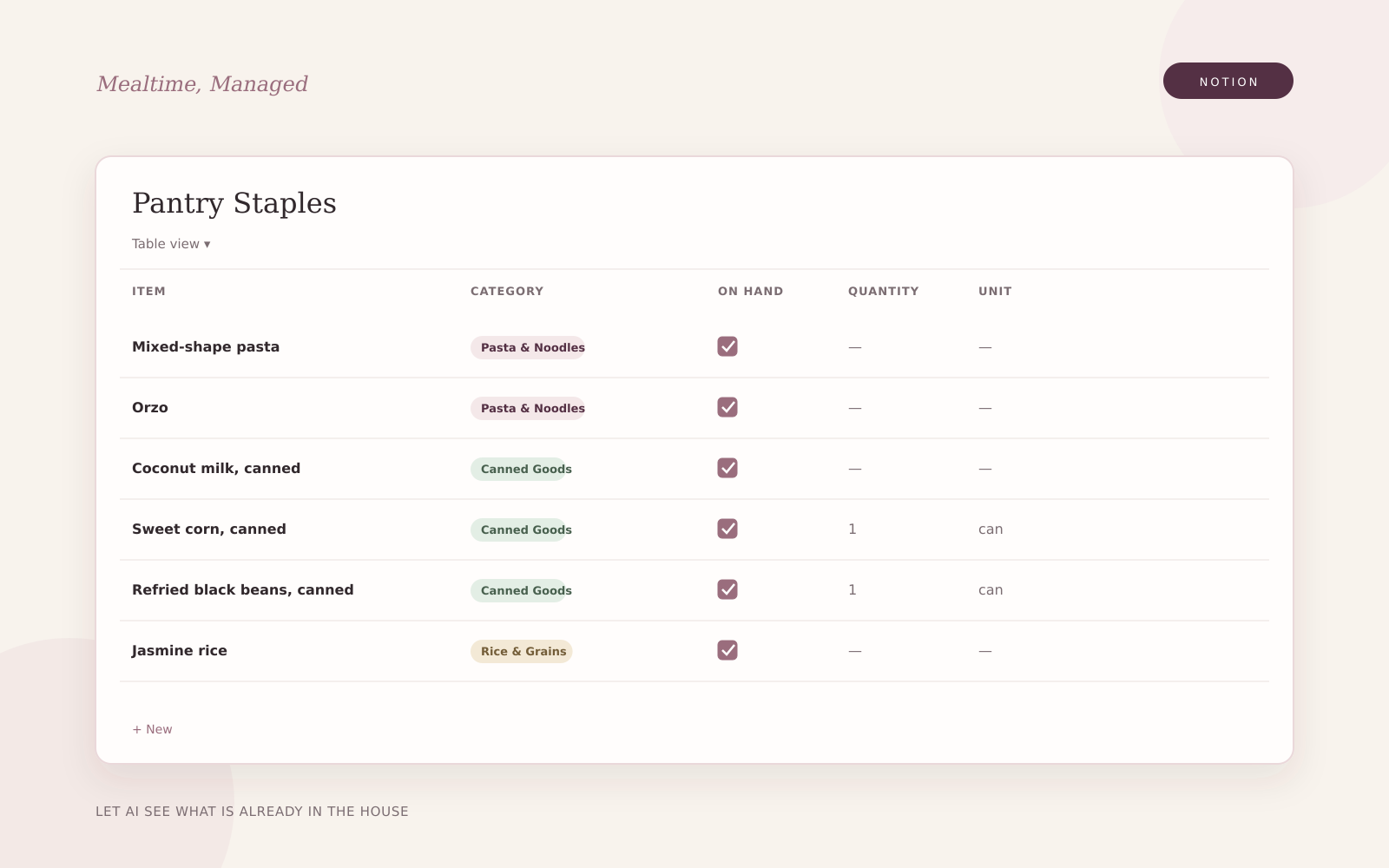
Pantry Staples
The durable basics already in the house.
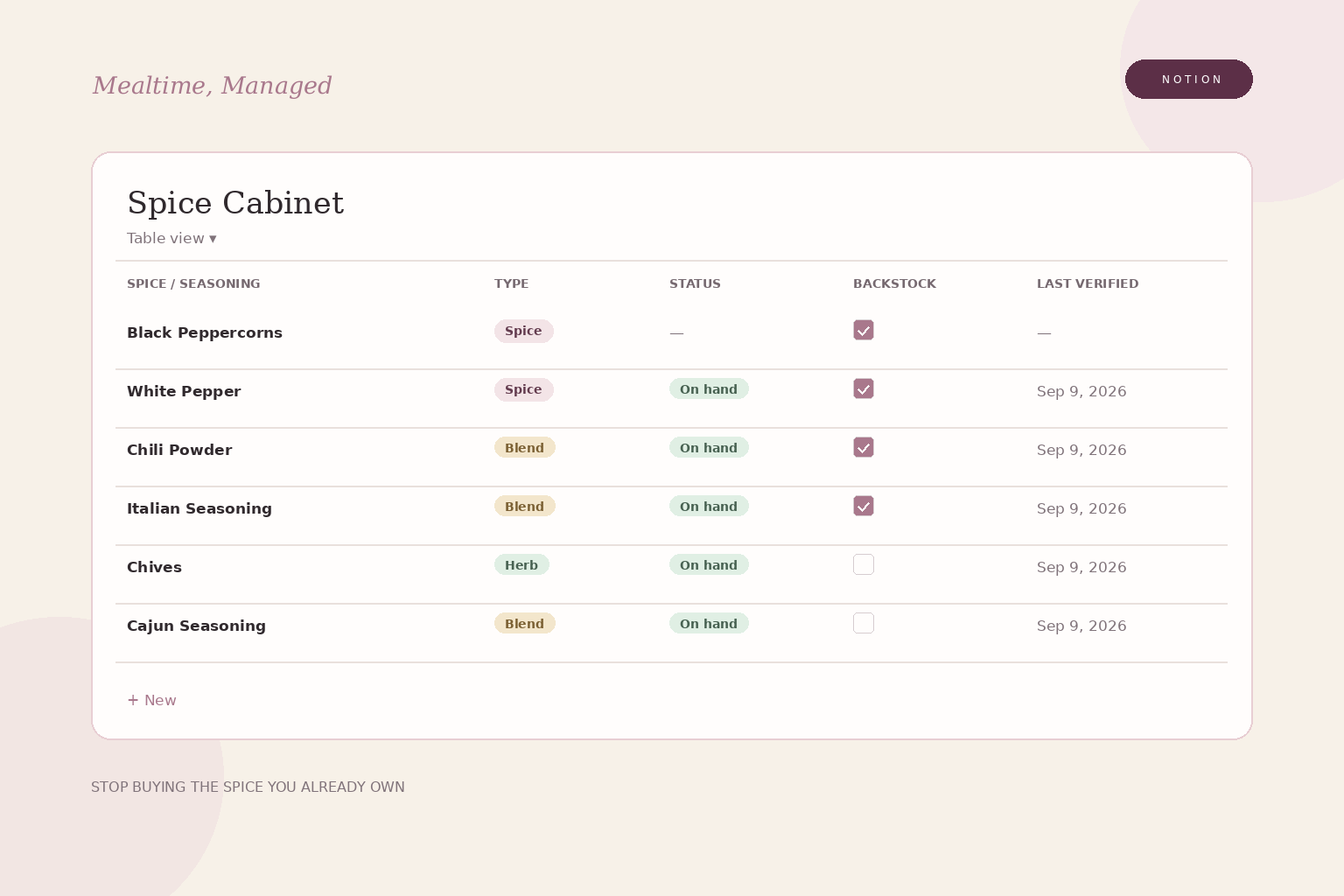
Spice Cabinet
Including the backstock you forgot you bought.
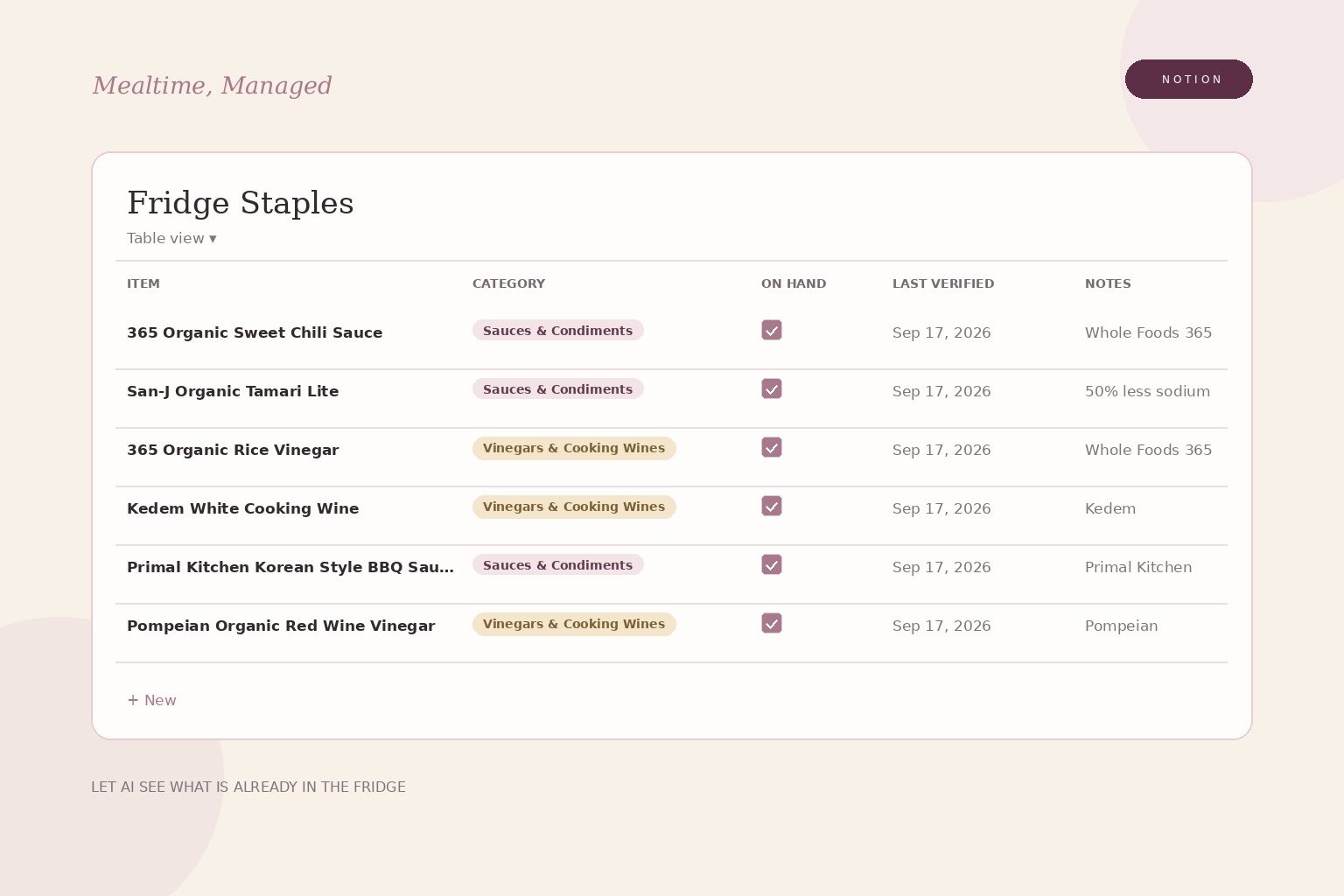
Fridge Staples
The condiment shelf — not your entire refrigerator.
These are screenshots from founder testing. I’m simplifying the kitchen inventory, so the final layout may change. A supported AI and Notion connection can use the records you maintain.
You’re not typing your kitchen into a spreadsheet.
Take pictures to help capture what you have. Review the entries before relying on them.
- Freezer drawer photoFreezer Inventory
- Pantry shelf photoPantry Staples
- Spice shelf photoSpice Cabinet
- Fridge door photoFridge Staples
If it can’t confidently read something, it tells you instead of guessing.
You can start with the freezer and build the rest over time.
There is setup. Then there is very little upkeep.
You’re giving Kitchen Brain the information you currently keep rebuilding in your own head.
About 15 minutes
Build the AI side
Create the project, paste the Kitchen Brain instructions and connect Notion.
About 1–2 hours
Teach it your household
Build the Notion memory, answer the family questions and photograph your kitchen.
This is the slowest part — and you can spread it over several days.
About 5 minutes
Plan your first week
Ask for a draft week, review the meals and approve before using the grocery list.
Want to start faster? Photograph the freezer first and build pantry, spices and fridge staples later.
This shouldn’t become another system you have to manage.
- leftovers
- every piece of produce
- drinks
- every meal idea AI considered
- every one-off ingredient
- every grocery list you’ve ever made
If there’s something perishable you want to use, just tell it:
“Use the zucchini and spinach this week.”
If maintaining the system becomes a second job, the system has failed.
Talk to it like a person.
No special commands to memorize.
- Plan my week.
- Swap Thursday for something faster.
- We’re out Friday.
- Use the zucchini this week.
- What can I make today?
- What time do I need to start?
- I bought two packs of ground beef.
- We used the last salmon.
- Add this recipe.
- Five stars.
Your saved recipes finally become useful.
Kitchen Brain plans from the recipes you already like instead of sending you hunting for seven new recipes every Sunday.
- Add recipes from links
- Screenshots
- Cookbook or handwritten recipe photos
- Pinterest exports
- ReciMe / other recipe libraries
It remembers what you made, when you made it and what your family thought.
The output is not just a list of dinners.
- Why it fits that night
- What you already own
- What to buy
- What to pull from the freezer
- What can be prepped ahead
- When cooking needs to start
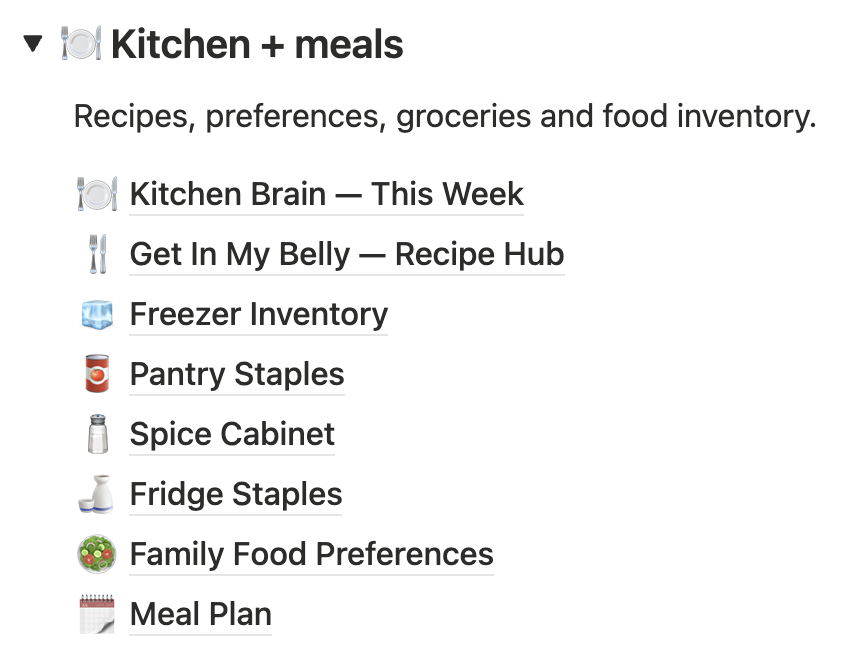
Kitchen Brain checks your recorded inventory first. If it’s unsure whether you own something, it leaves it on the grocery list rather than risking that you’re missing it.
What you need
Notion
A free account is fine.
A paid AI account
It needs project/workspace instructions and a Notion connection for the full workflow.
Best experience
ChatGPT or Claude with Notion connected.
Everything you need to build it once
- Complete Kitchen Brain AI instructions
- Build guidance for the connected Notion collection
- Weekly “This Week” setup
- Recipe Hub setup
- Family preference intake
- Kitchen photo capture workflow for the items you choose to track
- Pinterest + recipe-library import instructions
- Everyday prompts / things you can say
- Troubleshooting
- Removable sample week so you can see the system before using your own data
The guide walks you through the setup step by step. You don’t need to know how to build a Notion system or write AI instructions yourself.
Questions
Want it when it’s ready?
Join the Kitchen Brain waitlist.
No inbox avalanche. Unsubscribe anytime.